Product
What’s on the station desk
Start with Foundation. Add Checklists, Inventory, or Training if you need them — or take Full Ops and get all three. Optional setup help is available if you want it.
Foundation
The problem. Call logging already lived on paper — sheets, binders, and a folder on the desk. It worked until you needed the year at a glance, or grant time meant digging.
What’s included
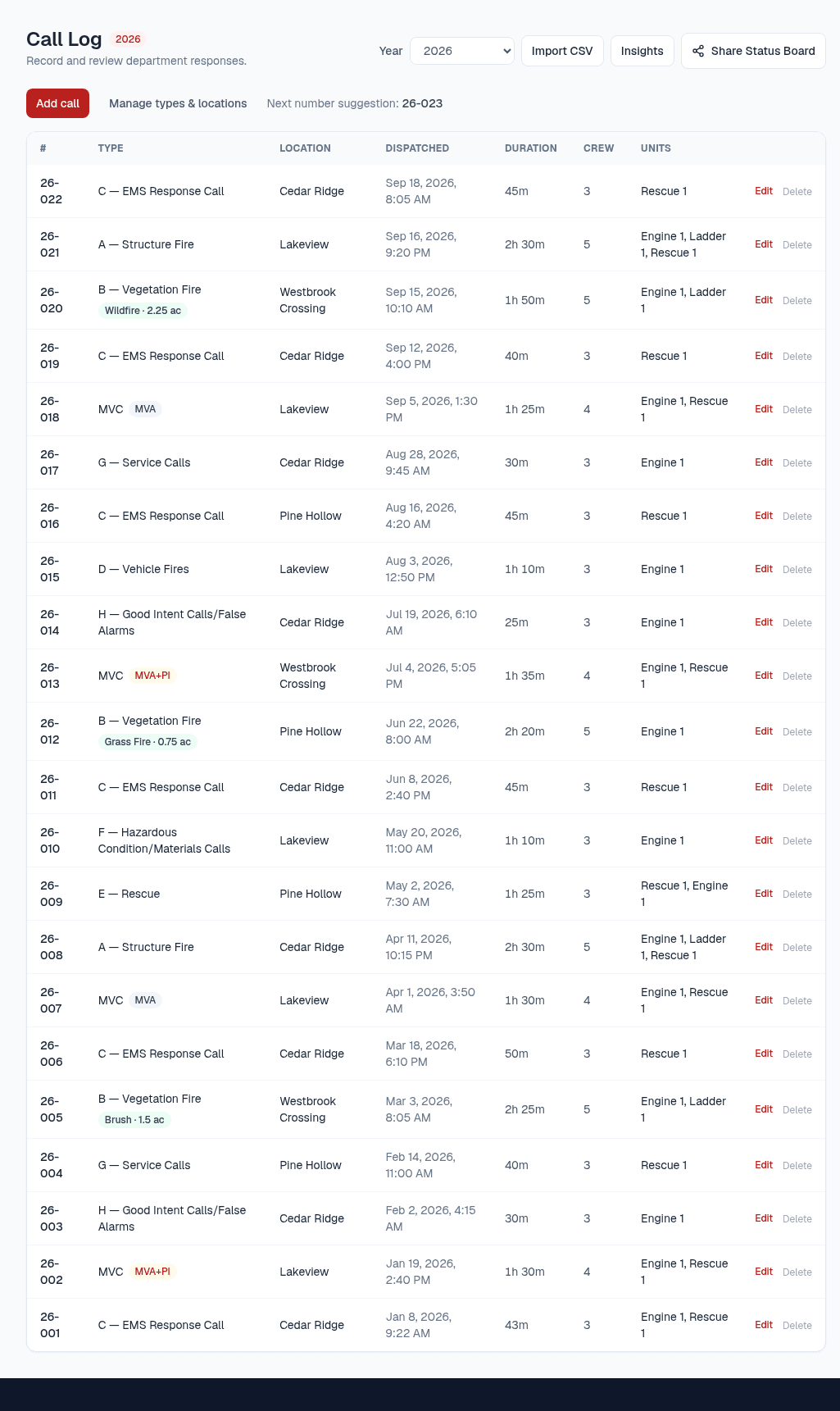
- Call Log — log calls the way a small department actually works
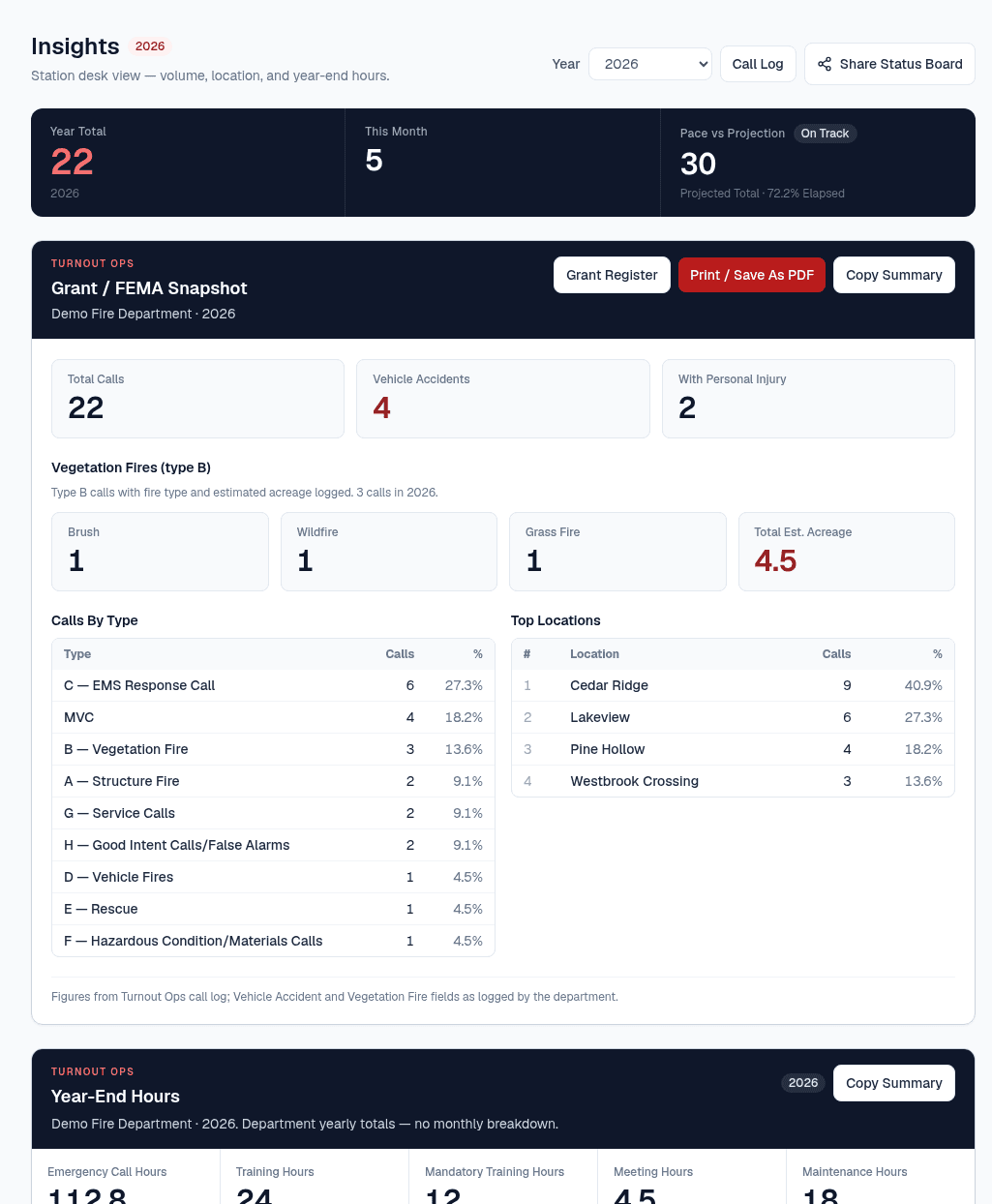
- Insights — volume by type, town, and month, plus pace and projections from your own history
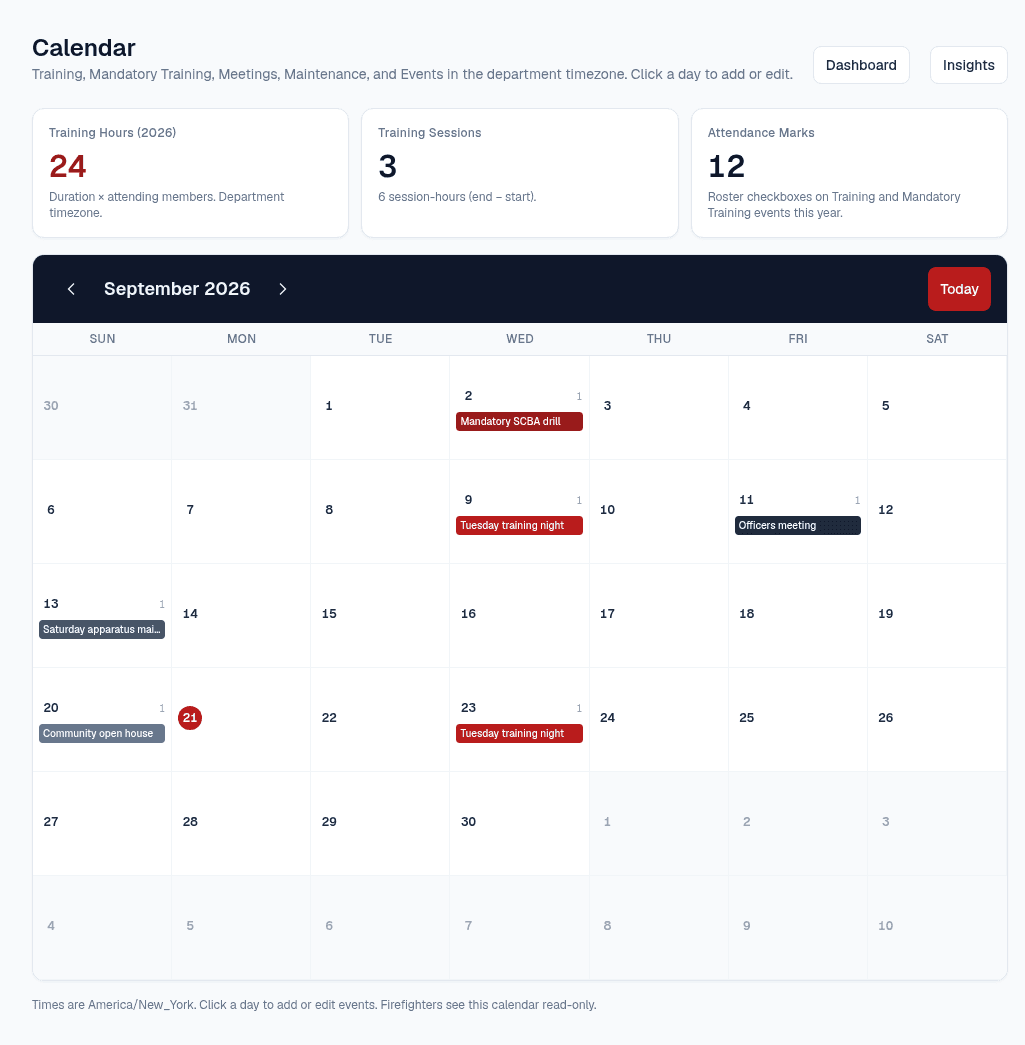
- Department Calendar — Training, Mandatory Training, Meetings, Maintenance, and Events, with roster attendance and year-end hours
- Grants tracking — AFG, FP&S, SAFER, or any other program, in one register
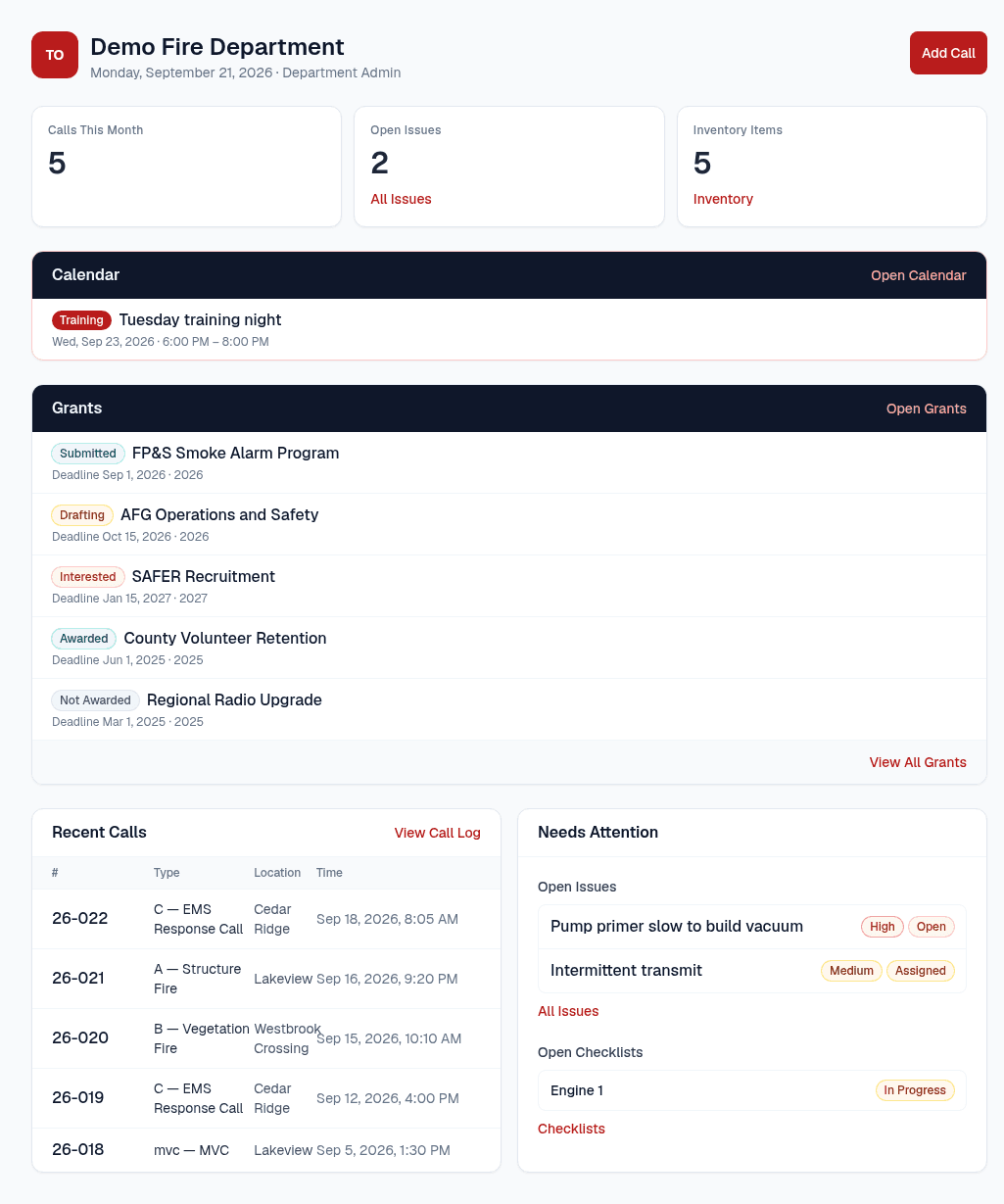
- Dashboard, members roster, apparatus, and department settings
Calendar and Grants are Foundation modules. They are not necessarily in the sidebar — Calendar is its own hub, and Grants lives with the station desk rather than as a required nav item.
Session hours from calendar attendance stay in Foundation. Tracking who is complete on required courses is the Training add-on — it does not replace paper sign-ups or physical signatures when those are required.
Checklists
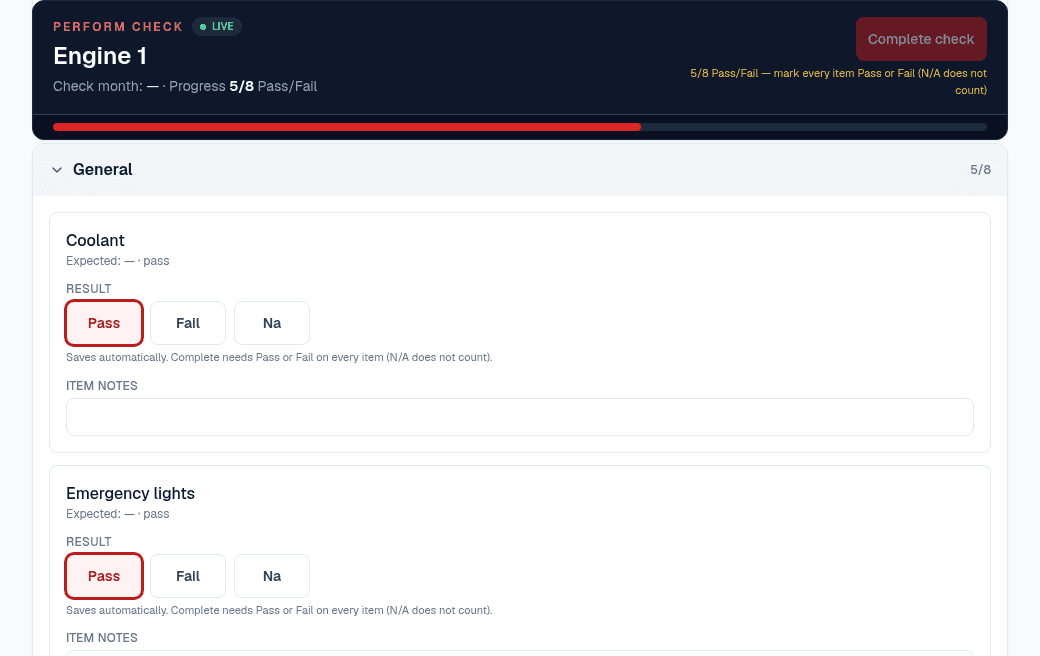
The problem. Truck checks already lived on paper — clipboards and binders on the apparatus. Turnout Ops brings those same checks onto a phone or the desk.
What’s included
- Apparatus checklists and runs
- Extinguisher and SCBA checklists
- Issue follow-up from flagged checks
Not included in Foundation — available as an add-on.
Inventory
The problem. Stock and expirations already lived in a binder or a cabinet. Turnout Ops puts them on the station desk, with dates you can see.
What’s included
- Stock on apparatus
- Storage locations
- Expiration tracking under Equipment
Not included in Foundation — available as an add-on.
Inventory is an Equipment tab, not a top-level sidebar item.
Training
The problem. Leadership should see required courses at a glance — who is complete, and who still needs sign-off.
What’s included
- Track required courses (yearly, 6-month, 2-year, or one-time)
- See who is complete — and who still needs sign-off
- Optional link from a Calendar session so attendance can mark a course complete in Turnout Ops
Training is for leadership tracking at a glance. It is not a substitute for mandated paper records or physical signatures — Department of Labor and similar rules can still require those.
Session hours stay on Foundation Calendar (duration × attendance). Sold separately from Foundation Calendar — not included in Foundation.
Full Ops
The problem. If you need checklists, inventory, and training together, buying them one at a time should not mean paying twice.
What’s included
- Checklists
- Inventory
- Training
Full Ops is Checklists + Inventory + Training together — not a separate product line.
Mid-cycle upgrades prorate: if you already pay for Checklists, Inventory, or Training, Full Ops updates that subscription in place and charges the net difference for the rest of the period. Unused time on those modules is credited — it does not stack a second checkout.
Start on your own, or we can help
Self-serve — add optional setup if you want. We can help if you’d rather not do it yourself.